

10 Essential Meeting Room Setups to Elevate Your 2025 Events
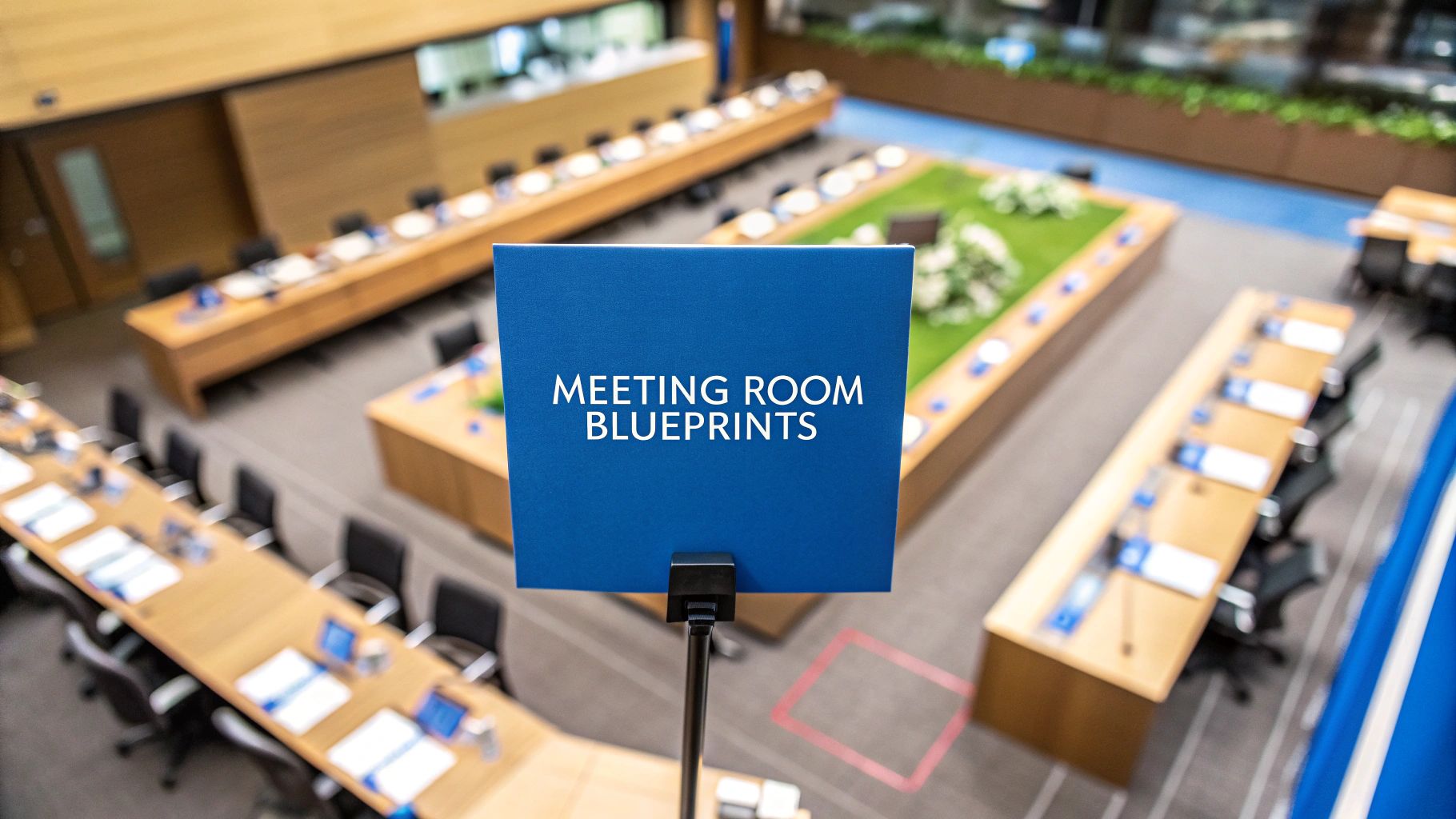
The success of any event hinges on more than just the agenda or the guest list; it's profoundly influenced by the physical environment. The right meeting room setups can transform a passive audience into active participants, a simple presentation into an immersive experience, and a networking event into a hub of meaningful connections. Conversely, choosing the wrong layout can stifle collaboration, create presenter challenges, and leave attendees disengaged.
This comprehensive guide moves beyond basic floorplans to explore 10 distinct meeting room setups and their strategic applications. We will dissect each layout, detailing its ideal use cases, capacity planning, and critical audio-visual considerations for both in-person and hybrid formats. We'll provide specific, actionable insights into how each configuration directly impacts attendee engagement and information retention.
More importantly, this resource connects each setup to the specific needs of presenters, offering a crucial framework for event planners. For instance, when you book an AI expert like Nina Schick for a keynote, their environmental needs differ vastly from a facilitator leading a hands-on workshop. This guide will equip you with the knowledge to make that perfect match between space and speaker. You will learn how to architect an environment that not only accommodates your audience but actively amplifies your message, ensuring your event delivers maximum impact and unforgettable value.
1. Classroom Style Setup
The Classroom Style is one of the most traditional and effective meeting room setups for information dissemination. It features rows of tables and chairs all facing a central focal point, such as a presenter, stage, or screen. This layout is designed to direct all attendee attention forward, making it exceptionally well-suited for lectures, training sessions, and product demonstrations where note-taking and focused learning are primary objectives.
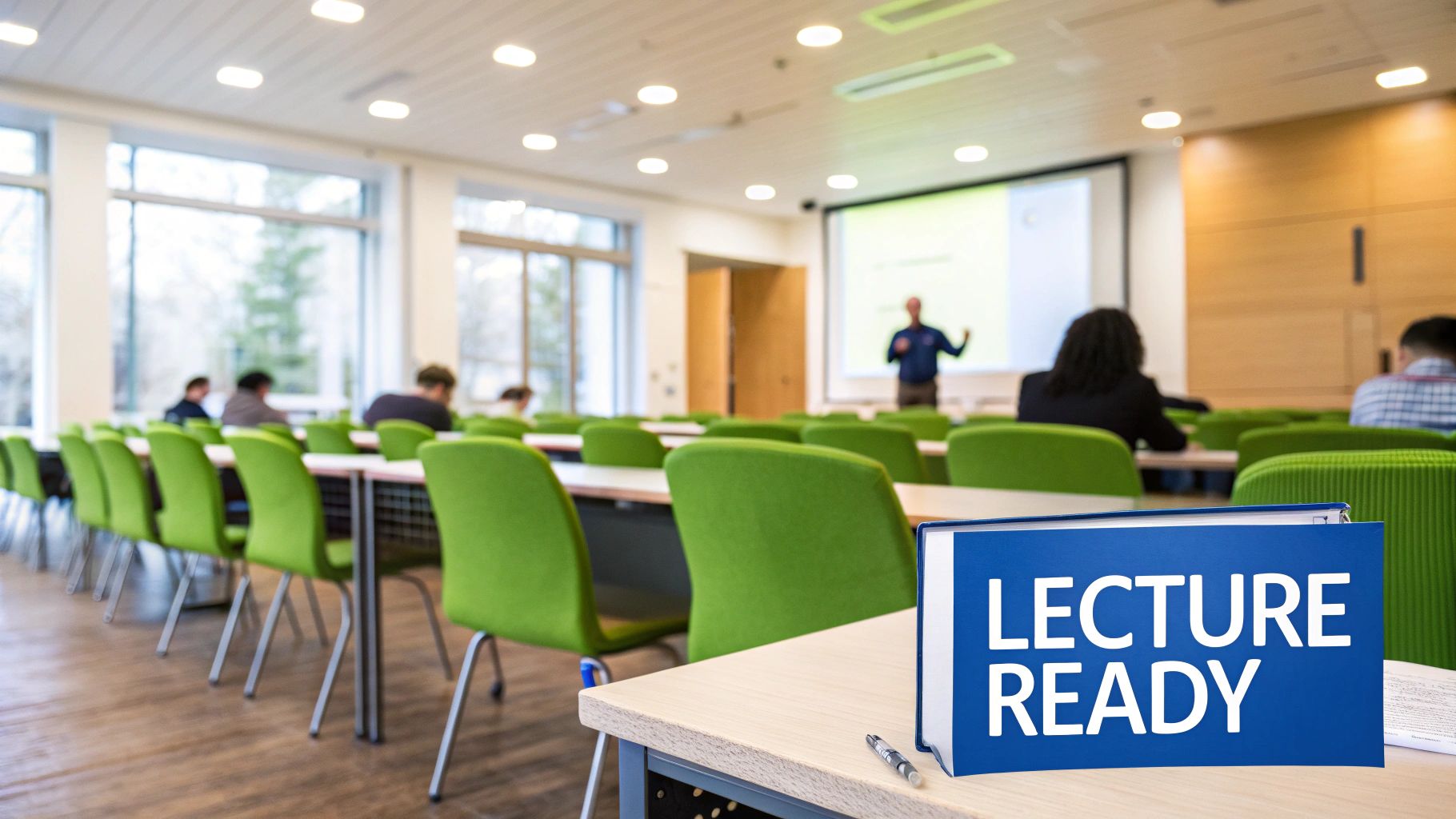
This setup maximizes space and creates an orderly environment, but it can limit interaction between participants. Its strength lies in its ability to facilitate a one-to-many communication model efficiently.
Ideal Use Cases & Capacity
This format is the go-to choice for educational events. Think of a corporate training day for new software or a seminar on financial regulations. The provided table space is crucial for attendees using laptops, manuals, or taking extensive notes.
- Best For: Training sessions, educational workshops, lectures, conferences, product updates.
- Typical Capacity: Varies widely but is highly space-efficient. A 20'x30' room can comfortably seat 30-40 people with 6-foot tables.
Floorplan & AV Considerations
Proper layout is key to the success of this setup. Ensure there are wide enough aisles (at least 36 inches) for comfortable movement and to meet accessibility standards. For AV, a large, centrally located screen and a robust sound system are non-negotiable.
Key Insight: To enhance engagement for hybrid meetings, place cameras at the back of the room to capture the presenter and a front-facing camera to capture audience reactions. This gives remote attendees a more immersive view.
Speaker & Host Logistics
A speaker like futurist Gerd Leonhard, delivering data-heavy content on technological shifts, thrives in this setup. The layout naturally positions them as the authority. Provide a lectern, a wireless microphone, and a presentation remote. Ensure the presenter has a clear line of sight to a confidence monitor so they can face the audience without constantly turning back to the main screen.
2. Boardroom/Conference Table Setup
The Boardroom Style, also known as the Conference Table Setup, is the quintessential layout for collaborative decision-making and high-stakes discussions. It typically features a large, central table, either rectangular or oval, with chairs arranged around all sides. This configuration is designed to foster a sense of equality and encourages face-to-face interaction, making it ideal for meetings where every participant's input is crucial.
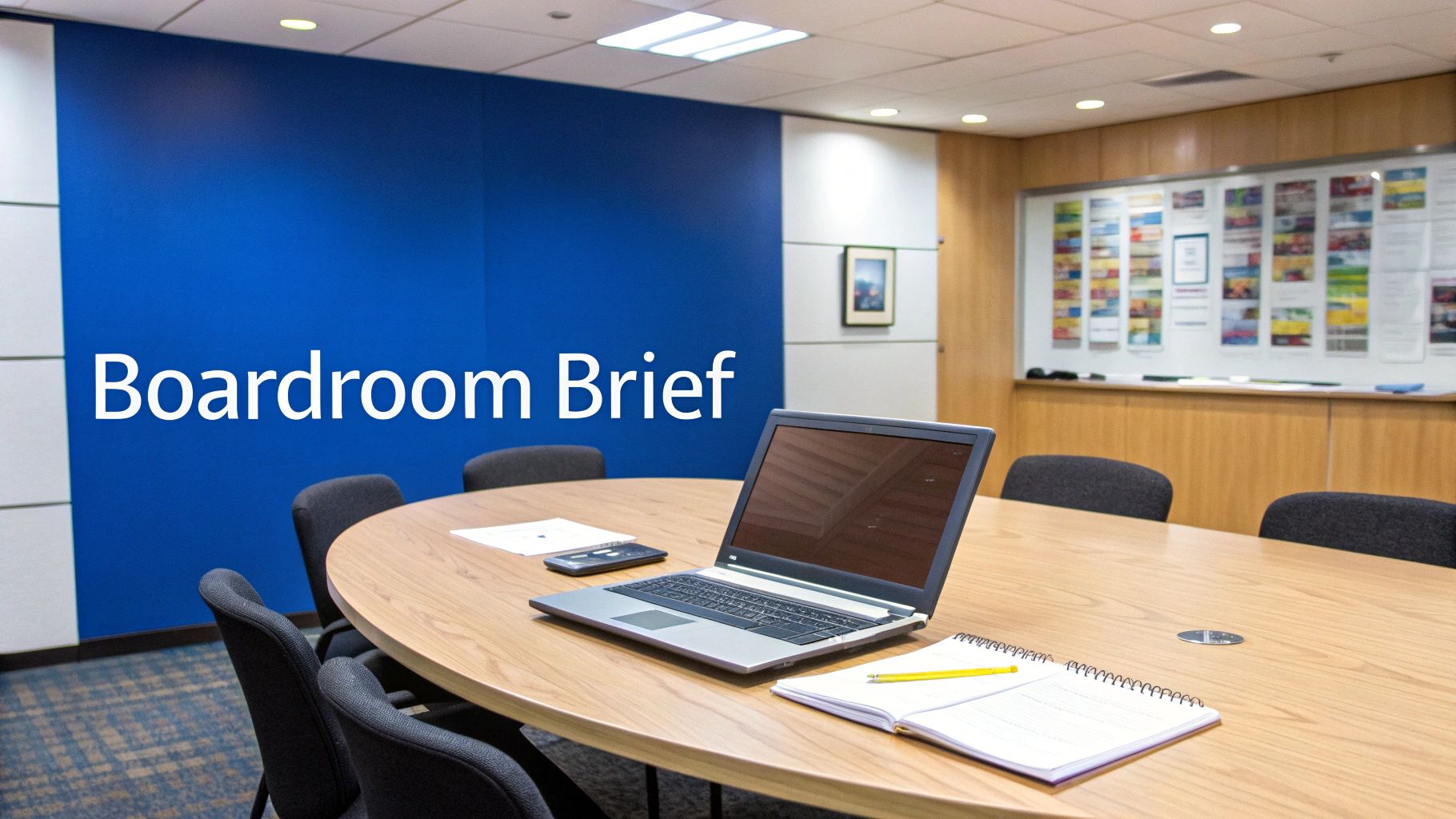
Unlike one-to-many setups, the boardroom style promotes a unified, focused group dynamic. It is the classic choice for executive sessions, negotiations, and strategic planning where direct communication and debate are the primary activities.
Ideal Use Cases & Capacity
This setup is synonymous with leadership and critical business functions. It's the go-to for a board of directors meeting to review quarterly earnings or for legal teams conducting a deposition. The intimate setting facilitates complex negotiations and detailed review sessions.
- Best For: Board of directors meetings, executive committees, contract negotiations, legal depositions, senior management briefings.
- Typical Capacity: Generally suited for smaller groups of 8-20 people. A 20'x30' room can comfortably host a 14-person meeting, ensuring adequate personal space.
Floorplan & AV Considerations
The table is the centerpiece, so its choice matters. An oval table can help mitigate the "head of the table" dynamic, promoting a more egalitarian feel. Ensure there is sufficient clearance (at least 48 inches) around the table for easy movement. For AV, wall-mounted digital displays are superior to table-top monitors, preserving valuable surface area.
Key Insight: For hybrid meetings, a center-table 360-degree camera and microphone system, like an Owl Labs device, is essential. It provides remote attendees with an equitable view and clear audio of every person at the table, making them feel part of the conversation.
Speaker & Host Logistics
A speaker in this setup is often a facilitator or an equal participant. A financial expert like Jeff Booth briefing a board on decentralized finance or a mediator guiding a negotiation would be right at home. They need seamless tech integration rather than a stage. Ensure easy access to power, data ports, and a user-friendly interface to control the room's AV system directly from the table. For events requiring an external expert, finding the right speakers for conferences who excel in these intimate, high-impact settings is key.
3. Theater/Auditorium Setup
The Theater or Auditorium setup is the ultimate solution for maximizing audience capacity. This layout consists of chairs arranged in rows, all facing a central stage or screen, without any tables. By removing tables, you can fit the largest number of people into a given space, making it ideal for events where the primary focus is on listening and observing rather than active participation or note-taking.
This setup is designed for passive information consumption. Its strength lies in accommodating large crowds for keynotes, product launches, and award ceremonies where the audience's attention needs to be fully directed toward the front of the room.
Ideal Use Cases & Capacity
This format excels at large-scale, one-to-many presentations. Imagine a major tech conference keynote or an all-hands company meeting. The absence of tables encourages a focused, distraction-free environment centered entirely on the speaker and their message.
- Best For: Keynote addresses, award ceremonies, product launches, large-scale seminars, community town halls.
- Typical Capacity: The most space-efficient setup. A 20'x30' room can accommodate 50-60 people, significantly more than any other layout.
Floorplan & AV Considerations
Proper sightlines are paramount in a theater setup. Staggering the chairs in each row or using tiered, stadium-style seating can prevent attendees from having their view blocked. For larger gatherings, robust audio is crucial. Consider exploring guides on setting up effective Pro PA speaker systems to ensure everyone can hear clearly.
Key Insight: For hybrid events in this setup, use multiple cameras: one wide shot of the stage, a close-up on the speaker, and another facing the audience to capture reactions. This creates a dynamic experience that mirrors the energy of being there in person, a key principle highlighted in virtual conference best practices.
Speaker & Host Logistics
A visionary speaker like Generative AI expert Nina Schick commands attention in this format. The stage naturally elevates their presence. Provide them with a wireless lavalier microphone for freedom of movement and large, strategically placed confidence monitors. Ensure stage lighting highlights the speaker effectively without creating glare on the main presentation screens.
4. U-Shape Setup
The U-Shape setup is a classic collaborative arrangement that fosters both presentation and participation. In this layout, tables are arranged in a large U, with chairs placed along the outside-facing perimeter. This configuration creates an open area at the front, allowing a presenter or facilitator to engage directly with every attendee, moving freely to interact and command attention.
This setup effectively balances a clear focal point with group interaction, making it one of the most versatile meeting room setups for hybrid events. It encourages a natural conversational flow, as participants can easily see and hear one another as well as the main speaker.
Ideal Use Cases & Capacity
This format is superb for sessions that require a mix of presentation and group discussion. It’s a favorite for committee meetings, focus groups, and training workshops where active participation and feedback are essential to the meeting's success.
- Best For: Training workshops, committee meetings, focus groups, planning sessions, collaborative problem-solving.
- Typical Capacity: Moderately space-efficient. A 20'x30' room can accommodate roughly 20-25 participants, depending on table width and the desired size of the open area.
Floorplan & AV Considerations
The key to a successful U-shape is proportion. Ensure the open end is wide enough for the presenter to move comfortably, but not so wide that participants at the ends feel disconnected. The open center is an excellent space for a flip chart or whiteboard to capture ideas organically. For AV, consider placing screens at the open end and potentially smaller repeater monitors along the sides for larger groups.
Key Insight: For hybrid meetings in a U-shape, place a wide-angle camera at the front to capture all participants' faces. This allows remote attendees to see who is speaking and feel more connected to the group discussion, rather than just seeing the back of people's heads.
Speaker & Host Logistics
A facilitator or an interactive keynote speaker, like AI strategist Inma Martinez, excels in this environment. The layout allows them to move from a formal presentation at the front to a more personal, one-on-one coaching style by walking into the U. Equip them with a lavalier microphone for hands-free movement and ensure any presentation equipment is easily controlled from the open area.
5. Hollow Square/Closed U Setup
The Hollow Square setup arranges tables in a square or rectangle with an open center, with chairs placed along the outside perimeter facing inward. This configuration fosters a sense of equality and encourages face-to-face interaction, as every participant has a clear view of everyone else. It is an excellent choice for collaborative discussions, committee meetings, and strategic planning where peer-to-peer communication is vital.
Unlike hierarchical layouts, this setup promotes a democratic dialogue. It is less suited for presentations to a large audience but excels at facilitating group problem-solving and consensus-building among a moderate number of participants.
Ideal Use Cases & Capacity
This format is perfect for when every voice needs to be heard. Consider board meetings, departmental planning sessions, or even jury deliberations where equal participation is key. The central space can be used for demonstrations or interactive elements, making it versatile for hands-on workshops.
- Best For: Board of directors meetings, strategic planning sessions, committee meetings, focus groups, team-building activities.
- Typical Capacity: Works best for groups of 12-40. A 25'x35' room can accommodate around 24 people, ensuring comfortable spacing.
Floorplan & AV Considerations
A true square shape is generally more effective than a long rectangle, as it keeps all participants at a more equitable distance. Use dedicated corner table sections to avoid awkward "dead zones" and ensure a continuous surface. For AV, placing screens in the corners or using a central projection system can ensure visibility without creating a single "head" of the table.
Key Insight: For hybrid meetings in a hollow square setup, use a central 360-degree camera and microphone system. This captures the entire group dynamic, giving remote attendees the feeling of being right in the middle of the discussion rather than just observing from one end.
Speaker & Host Logistics
A facilitator or a speaker aiming for interactive dialogue, like a leadership coach or a mediation expert, is ideal for this setting. They can move freely within the center of the square, engaging directly with different sections of the group. Provide them with a lavalier microphone for mobility. The setup empowers the facilitator to guide a balanced conversation rather than delivering a top-down lecture.
6. Banquet/Rounds Setup
The Banquet Style setup, characterized by multiple round tables distributed throughout the space, is expertly designed to foster networking and social interaction. Participants are seated around these tables, creating small, intimate groups within a larger event. This arrangement is ideal for events that combine presentations with dining or collaborative discussions, such as galas, award ceremonies, and team celebrations.
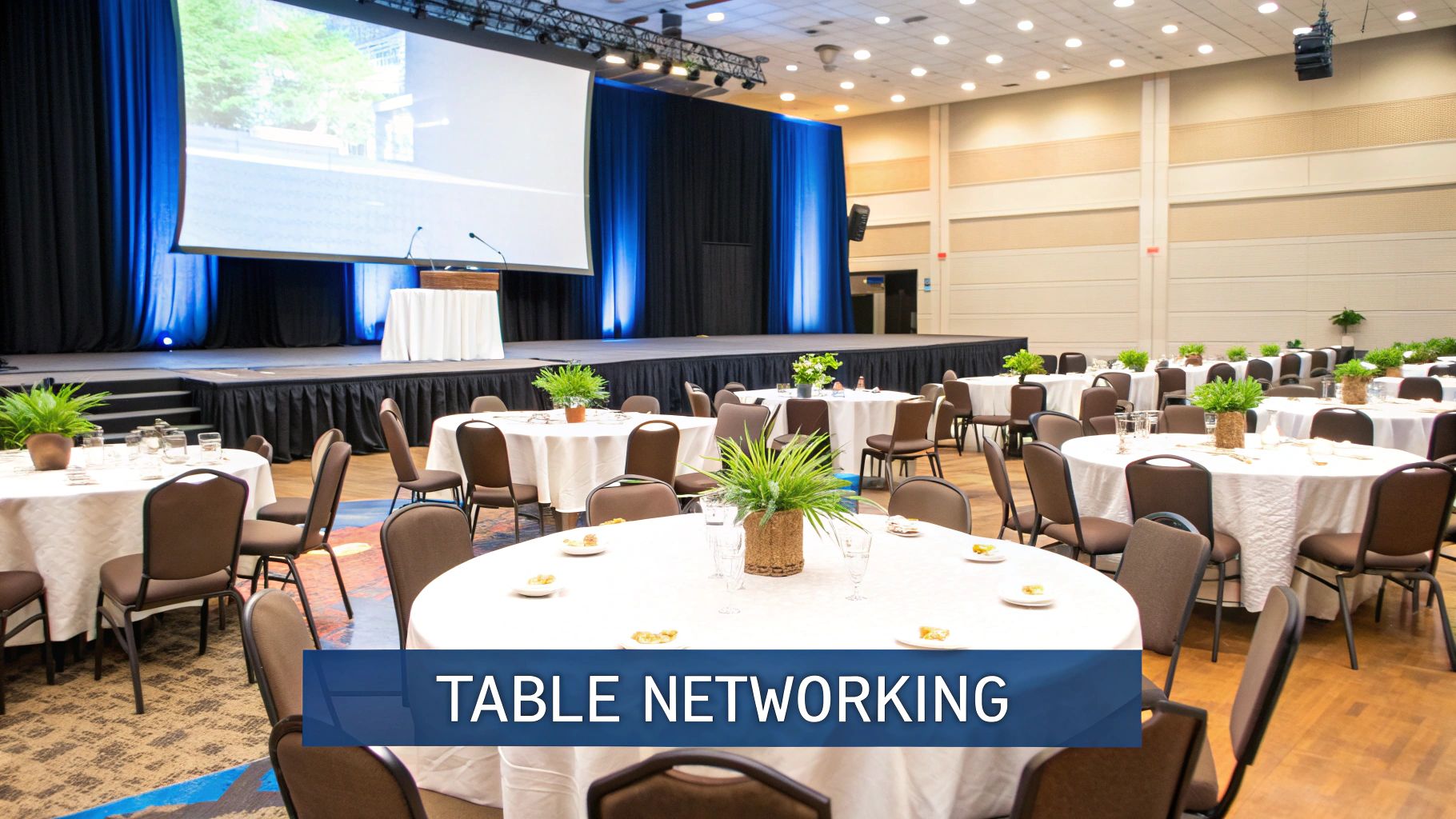
While this setup excels at encouraging conversation among tablemates, some attendees will have their backs to the main stage or focal point. Strategic table placement can mitigate this, but its primary strength lies in creating a communal and celebratory atmosphere rather than a purely presentational one.
Ideal Use Cases & Capacity
This format is the standard for events where a meal is served alongside a program. Think of a fundraising gala, a company awards night, or a wedding reception. The round table configuration encourages attendees to engage with one another, making it perfect for networking and building connections.
- Best For: Gala dinners, award ceremonies, networking receptions, team celebrations, conference social events.
- Typical Capacity: A 60-inch round table typically seats 8 people, while a 72-inch table seats 10. A 30'x40' room can accommodate 60-80 guests comfortably with a small stage.
Floorplan & AV Considerations
To ensure a good experience, angle tables in a crescent or "chevron" pattern so more guests face the front without needing to turn their chairs completely. Use large, clearly visible table numbers. For AV, multiple screens placed around the room are essential so guests with their backs to the stage can still see the presentation. High-quality distributed audio ensures everyone hears clearly.
Key Insight: For hybrid events, place a dedicated camera with a wide lens on a few key tables. This allows remote attendees to see the table-level interaction and feel more connected to the in-person networking atmosphere.
Speaker & Host Logistics
An inspiring speaker like tech philosopher Tom Chatfield excels in this environment, as they can engage with the crowd on a more personal level. Provide the speaker with a wireless lavalier microphone so they can move freely around the stage and even walk among the tables. Ensure the stage is elevated and well-lit to give them a commanding presence and visibility from the back of the room. A great host can also facilitate table-based activities to boost energy and interaction.
7. Chevron/V-Shape Setup
The Chevron or V-Shape setup is a dynamic and engaging layout that blends the clear sightlines of a Classroom style with the interactive potential of more open arrangements. It consists of rows of tables angled at approximately 45-60 degrees, forming a "V" or chevron pattern that points toward the stage or speaker. This configuration is one of the most effective meeting room setups for focusing attention while still encouraging a degree of audience interaction.
By angling the tables, attendees are turned slightly toward each other, which can facilitate brief cross-table discussions without losing focus on the presenter. It's an excellent compromise for events that require both presentation and participation.
Ideal Use Cases & Capacity
This format is perfect for corporate presentations, sales conferences, and product demonstrations where the audience needs to see the presenter clearly but also feel connected to the rest of the group. The angled seating ensures no one is looking at the back of someone else's head.
- Best For: Corporate presentations, TED-style talks, sales conference sessions, product demonstrations, executive briefings.
- Typical Capacity: Moderately space-efficient. A 20'x30' room typically accommodate 25-35 people, slightly less than a traditional classroom setup due to the angles.
Floorplan & AV Considerations
The key to a successful chevron layout is the angle. Start the point of the "V" centered on the focal area and ensure tables are angled correctly for optimal sightlines. Leave adequate space between the angle vertices to allow for easy access. For AV, position screens high and centrally so those on the outer edges of the "V" have an unobstructed view.
Key Insight: For hybrid meetings in a chevron setup, place a wide-angle camera at the front of the room, aimed at the audience. The angled seating creates a more dynamic and engaging visual for remote participants compared to the straight rows of a classroom style.
Speaker & Host Logistics
A speaker like futurist Shivvy Jervis, known for dynamic, engaging presentations, excels in this environment. The chevron setup creates an intimate yet focused atmosphere, allowing them to engage with the audience more directly. Provide them with a wireless lavalier microphone to allow movement, a presentation remote, and ensure the stage is elevated just enough to be seen from the back row.
8. Cocktail/Standing Reception Setup
The Cocktail or Standing Reception setup prioritizes movement, mingling, and spontaneous conversation over formal seating. This layout features high-top tables, designated bar areas, and ample open floor space, encouraging attendees to circulate and interact freely. It is designed to foster a dynamic and social atmosphere, making it perfect for networking events where the primary goal is connection rather than content delivery.
This arrangement breaks down the barriers of traditional seated events, allowing for more organic networking. Its strength lies in creating an energetic environment that facilitates introductions and informal discussions among a large number of guests.
Ideal Use Cases & Capacity
This format is the quintessential choice for social gatherings that bookend more formal proceedings. Think of a post-conference happy hour or a celebratory product launch party. It provides a relaxed setting for attendees to decompress and build relationships.
- Best For: Networking events, conference receptions, product launch parties, holiday gatherings, and fundraisers.
- Typical Capacity: Very space-efficient. A 20'x30' room can accommodate 50-60 people standing, assuming about 10 square feet per person.
Floorplan & AV Considerations
Strategic placement is crucial for a successful reception flow. Scatter high-top tables (typically 42-48 inches high) to create natural conversation hubs, but ensure wide pathways for easy movement. Position food and beverage stations at opposite ends of the room to prevent bottlenecks and encourage circulation. For AV, background music is common; ensure speaker placement provides even coverage without overpowering conversation. Use digital signage or projection screens to display event branding or sponsor logos.
Key Insight: To ensure accessibility, place a few standard-height tables and chairs along the perimeter. This provides a resting place for guests who cannot stand for long periods, making the event more inclusive without disrupting the overall flow.
Speaker & Host Logistics
While not a traditional speaker-focused setup, this format is excellent for hosts and special guests who need to circulate. A networking expert or a well-known industry influencer can work the room effectively, engaging with small groups. If a brief announcement is needed, provide the host with a wireless microphone and designate a small, slightly raised area for visibility. This allows for a quick welcome or toast without shifting the event's social focus.
9. Classroom with Breakout Rooms Setup
The Classroom with Breakout Rooms setup is a dynamic and interactive format that blends focused learning with collaborative problem-solving. It combines a primary room arranged in a traditional classroom style for presentations with several smaller, separate spaces designated for group discussions and activities. This hybrid approach allows attendees to receive information in a structured manner before applying it in smaller, more intimate group settings.
This setup is designed to foster deeper engagement and practical application of knowledge. Participants can transition from passive listening in the main session to active participation in breakout groups, making it one of the most effective meeting room setups for multi-faceted events that require both instruction and teamwork.
Ideal Use Cases & Capacity
This format is ideal for events where a "lecture-then-workshop" model is needed. It excels in corporate training programs that teach a new process and then require teams to practice it, or in professional development summits where attendees learn from an expert before brainstorming solutions to industry challenges.
- Best For: Corporate training programs, multi-day conferences, innovation workshops, strategic planning sessions, and sales training events.
- Typical Capacity: The main room capacity is determined by a standard classroom layout, while breakout spaces are typically designed for smaller groups of 8-20 people to ensure effective collaboration.
Floorplan & AV Considerations
Logistical planning is critical for this setup. Ensure breakout rooms are located close to the main hall to minimize transition time, and clearly signpost the path to each room. Each breakout space should be equipped with its own AV tools like a whiteboard, flip chart, or a small screen for digital collaboration.
Key Insight: To maintain momentum, equip each breakout room with a monitor linked to the main presentation. This allows the primary speaker to push key questions or a countdown timer to all groups simultaneously, keeping everyone aligned and on schedule.
Speaker & Host Logistics
A speaker who excels at facilitation, like leadership coach Sophie Hackford, thrives in this environment. They must be skilled at delivering a compelling presentation and then framing the objectives for the breakout sessions. The host needs to manage the transitions smoothly, providing clear instructions and timing cues. The speaker or assigned facilitators should circulate between breakout groups to offer guidance and ensure discussions remain productive. A detailed event timeline is crucial for managing these moving parts; you can find robust templates and guidance when building your event planning timeline.
10. Cluster/Pod Setup
The Cluster or Pod Setup breaks away from a single focal point, instead creating multiple small, collaborative environments within a larger space. This arrangement features several small tables, often round or hexagonal, each with a group of 4-6 chairs facing inward. This layout is specifically designed to foster small-group discussions, brainstorming, and active participation.
Unlike layouts that direct attention to a single speaker, the Cluster Setup decentralizes the conversation, empowering attendees to engage directly with their peers. It transforms a passive audience into active contributors, making it a powerhouse among modern meeting room setups for interactive events.
Ideal Use Cases & Capacity
This format excels in scenarios requiring teamwork and idea generation. It is the perfect choice for innovation sprints, design thinking workshops, or any event where solving complex problems through collaboration is the primary goal. The intimate setting of each pod encourages open dialogue and co-creation.
- Best For: Design thinking workshops, hackathons, collaborative problem-solving, World Café-style discussions, team-building activities.
- Typical Capacity: Less space-efficient than rowed setups. A 20'x30' room might accommodate 24-30 people in 4-5 clusters.
Floorplan & AV Considerations
The key to a successful Cluster Setup is space. Ensure there is ample room (at least 60 inches) between pods to allow for easy movement and prevent conversations from overlapping. For AV, consider placing multiple smaller screens around the room or using a central projection that is visible to all groups. Portable whiteboards or digital collaboration tools for each pod are highly effective.
Key Insight: To maintain a cohesive event flow, use a "report-out" technique. After a set time for discussion, have a representative from each pod share their key findings with the entire room, either verbally or on a shared digital document.
Speaker & Host Logistics
A facilitator or an innovation consultant like Dex Hunter-Torricke excels in this environment. Their role shifts from a lecturer to a guide who moves between pods, answering questions, and stimulating discussion. Equip them with a wireless lavalier microphone so they can be heard clearly as they navigate the room. Distributing subject matter experts among the pods can also enrich the collaborative process and provide targeted guidance where it's needed most.
10 Meeting Room Setups Comparison
| Setup | Implementation Complexity | Resource Requirements | Expected Outcomes | Ideal Use Cases | Key Advantages |
|---|---|---|---|---|---|
| Classroom Style Setup | Low — simple row alignment | Chairs/tables, presenter AV | Focused lectures; high seating capacity | Corporate trainings, university lectures, product demos | Maximizes capacity; clear sightlines |
| Boardroom/Conference Table Setup | Low–Medium — single table layout | Large table, seating, conferencing tech | Facilitated discussion and decision-making | Board meetings, negotiations, executive briefings | Equal participation; strong eye contact |
| Theater/Auditorium Setup | Low — chair-only rows | Many chairs, stage, sound/lighting | High-attendance presentations; passive audience | Keynotes, concerts, award ceremonies | Maximum capacity; cost-effective per attendee |
| U-Shape Setup | Medium — table arrangement + space | Tables forming U, AV at open end | Interactive presentations with group discussion | Workshops, training with Q&A, committee meetings | Encourages interaction; good presenter access |
| Hollow Square / Closed U Setup | Medium–High — full perimeter setup | Continuous tables, ample floor area, central materials | High peer-to-peer interaction and visibility | Negotiations, strategic planning, consensus meetings | Equal visibility; strong collaborative focus |
| Banquet / Rounds Setup | Medium — multiple table placement | Round tables, catering support, centerpieces | Small-group networking within larger events | Galas, award dinners, networking receptions | Promotes networking; accommodates dining |
| Chevron / V-Shape Setup | Medium — angled rows, precise layout | Angled tables, careful AV/sightline placement | Improved sightlines with moderate interaction | TED-style talks, product demos, sales pitches | Better sightlines than classroom; efficient use of space |
| Cocktail / Standing Reception Setup | Low–Medium — furniture and flow planning | High-top tables, bars, staffing, ambient audio | High mingling and informal networking | Receptions, launch parties, post-event mingles | Maximizes interaction; flexible layout |
| Classroom with Breakout Rooms Setup | High — multi-space coordination | Main room + breakout spaces, facilitators, tech | Blended large-group delivery and small-group work | Corporate training, multi-day conferences, workshops | Combines presentation scale with small-group engagement |
| Cluster / Pod Setup | Medium — many small group areas | Small tables, facilitation materials, open space | Intimate collaboration and ideation | Design sprints, hackathons, world café sessions | Encourages active participation; flexible groupings |
Setup | Implementation Complexity | Resource Requirements | Expected Outcomes | Ideal Use Cases | Key Advantages
| Classroom Style Setup | Low — simple row alignment | Chairs/tables, presenter AV | Focused lectures; high seating capacity | Corporate trainings, university lectures, product demos | Maximizes capacity; clear sightlines |
|---|---|---|---|---|---|
| Boardroom/Conference Table Setup | Low–Medium — single table layout | Large table, seating, conferencing tech | Facilitated discussion and decision-making | Board meetings, negotiations, executive briefings | Equal participation; strong eye contact |
| Theater/Auditorium Setup | Low — chair-only rows | Many chairs, stage, sound/lighting | High-attendance presentations; passive audience | Keynotes, concerts, award ceremonies | Maximum capacity; cost-effective per attendee |
| U-Shape Setup | Medium — table arrangement + space | Tables forming U, AV at open end | Interactive presentations with group discussion | Workshops, training with Q&A, committee meetings | Encourages interaction; good presenter access |
| Hollow Square / Closed U Setup | Medium–High — full perimeter setup | Continuous tables, ample floor area, central materials | High peer-to-peer interaction and visibility | Negotiations, strategic planning, consensus meetings | Equal visibility; strong collaborative focus |
| Banquet / Rounds Setup | Medium — multiple table placement | Round tables, catering support, centerpieces | Small-group networking within larger events | Galas, award dinners, networking receptions | Promotes networking; accommodates dining |
| Chevron / V-Shape Setup | Medium — angled rows, precise layout | Angled tables, careful AV/sightline placement | Improved sightlines with moderate interaction | TED-style talks, product demos, sales pitches | Better sightlines than classroom; efficient use of space |
| Cocktail / Standing Reception Setup | Low–Medium — furniture and flow planning | High-top tables, bars, staffing, ambient audio | High mingling and informal networking | Receptions, launch parties, post-event mingles | Maximizes interaction; flexible layout |
| Classroom with Breakout Rooms Setup | High — multi-space coordination | Main room + breakout spaces, facilitators, tech | Blended large-group delivery and small-group work | Corporate training, multi-day conferences, workshops | Combines presentation scale with small-group engagement |
| Cluster / Pod Setup | Medium — many small group areas | Small tables, facilitation materials, open space | Intimate collaboration and ideation | Design sprints, hackathons, world café sessions | Encourages active participation; flexible groupings |
Matching the Room to the Message: Your Final Blueprint
The journey through the diverse landscape of meeting room setups reveals a fundamental truth: the physical environment is not a passive container for your event, but an active participant in its success. We have explored ten distinct configurations, from the focused attention of a Theater style arrangement to the dynamic, collaborative energy of Cluster pods. The choice you make is a strategic one, a deliberate act of design that can either amplify or inhibit your message, engagement, and overall objectives.
Moving beyond simple capacity calculations is the first step toward mastery. The core takeaway is that layout dictates interaction. A U-Shape setup inherently invites dialogue and direct engagement with a facilitator, making it ideal for training sessions. Conversely, a Banquet style arrangement is optimized for networking and social interaction during meals, fostering connections in a way a rigid Classroom setup never could. Understanding these nuances is what separates a standard meeting from a truly impactful event.
Key Strategic Takeaways for Effective Room Design
As you plan your next event, distill your decision-making process down to these critical considerations:
- Goal Alignment is Non-Negotiable: The most important question is, "What do I want to achieve?" Is it knowledge transfer (Classroom, Theater), collaborative problem-solving (Hollow Square, Clusters), or fostering community (Banquet, Cocktail)? The answer should be the primary driver of your chosen meeting room setup.
- The Speaker's Needs are Paramount: An experienced keynote speaker like Nina Schick will have specific needs. A dynamic presenter might require a clear runway to move and engage the audience, making a Chevron layout superior to a standard Theater style. Always consult with your talent. Providing a detailed floor plan ensures they can tailor their delivery for maximum impact, leveraging the room's energy instead of fighting against it.
- Hybrid is the New Standard: Your AV and technology plan can no longer be an afterthought. For any setup, you must ask: Where will cameras be placed to capture both the speaker and audience reactions? Are microphones positioned to pick up questions from participants in a U-Shape layout? A successful hybrid event makes remote attendees feel present, and that begins with a room designed for digital inclusivity.
- Accessibility and Flow: Thinking about pathways, sightlines, and accessibility isn't just about compliance; it's about creating a comfortable and equitable experience for every single attendee. A poorly planned layout can create bottlenecks near exits or block views for those in wheelchairs. This meticulous attention to detail is a hallmark of professional event planning. For a deeper dive into how meticulous planning impacts every corner of your workspace, including meeting areas, consider this comprehensive guide on comprehensive office space planning and design.
From Blueprint to Reality: Your Actionable Next Steps
Armed with this knowledge, your next move is to integrate this strategic thinking into your planning workflow. Don't just select a meeting room setup from a venue's drop-down menu. Instead, create a checklist for each event that forces you to justify your choice based on your specific goals, audience profile, and the unique requirements of your content or speaker.
When you invest in a world-class expert, the environment you build for them is a critical component of your return on investment. The right setup can transform a great speech into a legendary one. By consciously matching the room to the message, you are no longer just booking a space; you are architecting an experience. You are building the foundation upon which powerful ideas are shared, meaningful connections are forged, and lasting change is inspired.
Now that you know how to create the perfect environment, find the expert who will make your event unforgettable. The roster at Speak About AI features leading voices in artificial intelligence and technology whose presentations are designed to spark innovation and drive action. Visit Speak About AI to find the ideal speaker who can deliver a powerful message, enhanced by the perfect meeting room setup you design.